Creative Video Editing Professional

  • High Demand In Digital Content: Video editors are needed for social media, youtube, marketing, advertising, education, business branding, and influencer content.
  • Creative And Freelance-friendly Skill: Video editing is useful for learners who want to work with creators, brands, agencies, companies, or freelance clients.
  • Build A Professional Video Portfolio: Learners can create reels, shorts, ads, youtube videos, promotional clips, and simple showreel projects.
1 Month ₹9,999 ₹7,999

Join 1995+ students who have already benefited from this course.
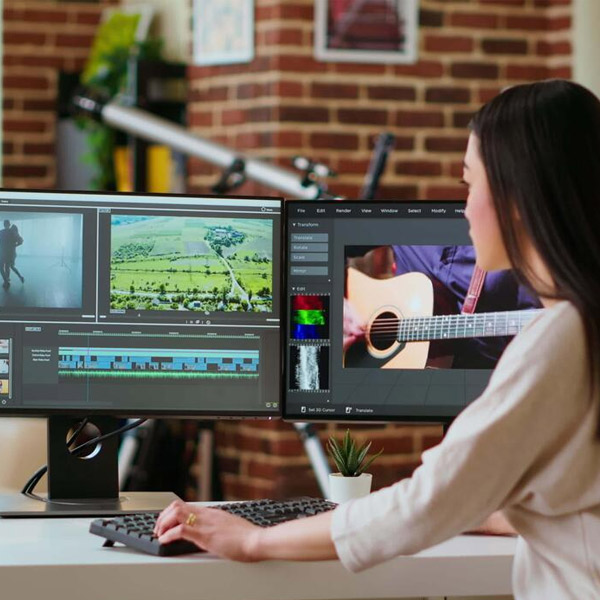
Creative Video Editing Professional
Limited Seats Available

Upgrade Your Skills
With Industry Ready Courses

Enroll Now

Fast onboarding • Secure • AI-powered experience
Enrollment submitted successfully.

Enrollment Successful 🎉


Course Overview

Video Editing is a creative media skill where learners transform raw footage into professional videos for social media, YouTube, advertisements, reels, and business promotions. This 1 month course helps learners build a strong foundation in timeline editing, trimming, splitting, text, subtitles, audio editing, transitions, effects, color correction basics, keyframe animation basics, export settings, and beginner-level video projects.

Course with Live Project

No Refund Available

Timeline Editing Foundation: Learners Edit Videos By Importing Media, Arranging Clips, Trimming, Splitting, Removing Unwanted Sections, And Creating Smooth Video Sequences.

Audio, Text, Effects, And Color Basics: Work With Background Music, Voiceovers, Subtitles, Sound Effects, Transitions, Filters, Brightness, Contrast, And Basic Keyframe Animation.

Beginner-level Video Projects: Develop Practical Projects Like Instagram Reels, Youtube Shorts, Promotional Videos, Social Media Stories, And Short Video Edits.

Course Content

  • Understanding video editing interface
  • Navigating editing workspace properly
  • Understanding timeline and preview panel
  • Learning basic editing tool functions
  • Managing project files and media
  • Understanding video editing workflow

  • Importing media into project
  • Understanding timeline editing basics
  • Arranging video clips properly
  • Splitting and trimming video clips
  • Rearranging clips on timeline
  • Removing unwanted video sections
  • Creating smooth video sequence

  • Adding text to video
  • Styling text with fonts
  • Creating titles and lower thirds
  • Adding subtitles to video
  • Designing basic motion graphics
  • Placing text on correct timing
  • Creating video intro titles

  • Adding background music tracks
  • Adjusting audio volume levels
  • Adding sound effects properly
  • Recording and adding voiceovers
  • Syncing audio with video clips
  • Removing unwanted audio sections
  • Balancing music and voice

  • Applying transitions between clips
  • Customizing video transition effects
  • Applying color filters properly
  • Adjusting brightness and contrast
  • Adding visual effects creatively
  • Using keyframe animation basics
  • Creating custom transition effects

  • Understanding video export settings
  • Learning video formats and resolutions
  • Exporting videos for instagram
  • Exporting videos for youtube
  • Exporting videos for facebook
  • Planning engaging video content
  • Sharing final edited videos

  • Create a short edited video using trimming, splitting, rearranging clips, background music, and basic transitions.
  • Create a social media reel or short story using text, subtitles, sound effects, color filters, and platform-based export settings.

  • Short promotional video / social media reel editing

  • Adobe premiere pro
  • Capcut
  • Filmora
  • Canva video basics
  • Audio editing tools
  • Stock music resources
  • Video format settings
  • Social media export presets

Skills Developed with Video Editing Course

Editing Fundamentals: Understand video editing workflow, timeline tools, preview panels, editing terminology, project files, and media organization.
Timeline Editing: Practice importing, arranging, trimming, splitting, rearranging clips, removing gaps, and creating smooth video sequences.
Basic Storytelling: Learn video flow, pacing, simple cuts, scene order, viewer engagement, and short-form video structure.
Text And Titles: Create titles, lower thirds, captions, subtitles, intro text, outro screens, and social media text overlays.
Audio Editing: Work with background music, voiceovers, sound effects, audio levels, syncing, and smooth audio transitions.
Transitions And Effects: Apply transitions, visual effects, zoom effects, blur effects, filters, and creative video enhancements.
Keyframe Animation Basics: Create simple motion effects, animated text, zoom movement, pan effects, and dynamic visual edits.
Color Correction Basics: Adjust brightness, contrast, color balance, filters, visual tone, and basic cinematic looks.
Platform-based Editing: Create instagram reels, youtube shorts, facebook videos, stories, ads, and platform-ready exports.
Portfolio And Showreel Basics: Organize edited projects, create short video samples, present editing work, and prepare beginner-level portfolio videos.

Career Opportunities after Video Editing Course

This course opens doors to multiple high-demand career paths across industries.

Video Editing Intern:

Support editing teams by trimming clips, adding text, subtitles, music, effects, and basic transitions.

Social Media Video Editor Beginner Role:

Create reels, shorts, stories, captions-based videos, and platform-specific video content.

Youtube Editing Assistant:

Edit basic youtube videos, intros, outros, subtitles, callouts, music, and export-ready video files.

Promotional Video Assistant:

Create product videos, offer videos, brand promotion clips, explainer videos, and marketing video edits.

Freelance Video Editing Beginner:

Work on small projects for creators, brands, influencers, businesses, and online clients.

Why Enroll in Video Editing with Solitaire Learning?

Beginner-friendly Editing Training: The course starts from basic editing workflow and gradually moves toward audio, subtitles, effects, color correction, and exports.
Practical Project-based Learning: Learners work on real video tasks like reels, youtube shorts, promotional clips, social media stories, and short video edits.
Industry-relevant Editing Tools: The course covers adobe premiere pro basics, capcut, filmora, canva video basics, audio tools, stock resources, and export settings.
Mentor-guided Showreel Support: Learners receive mentor guidance to create edited video samples, organize portfolio work, and prepare beginner-level showreels.
Strong Foundation For Advanced Editing: The course builds a solid base before moving into 45 days, 2 months, 3 months, 4 months, or 6 months video editing programs.

Ready to Take the Next Step in Your Career?

Join our expert-led training program, gain industry-recognized skills, and move closer to your professional goals. Seats are limited — enroll today!

Recommended Courses for You