Web Design Expert Series

  • Learn html, css, javascript & modern design tools
  • Create responsive, mobile-first websites
  • Build real-world portfolio projects that stand out
6 Months ₹45,999 ₹35,999

Join 150+ students who have already benefited from this course.
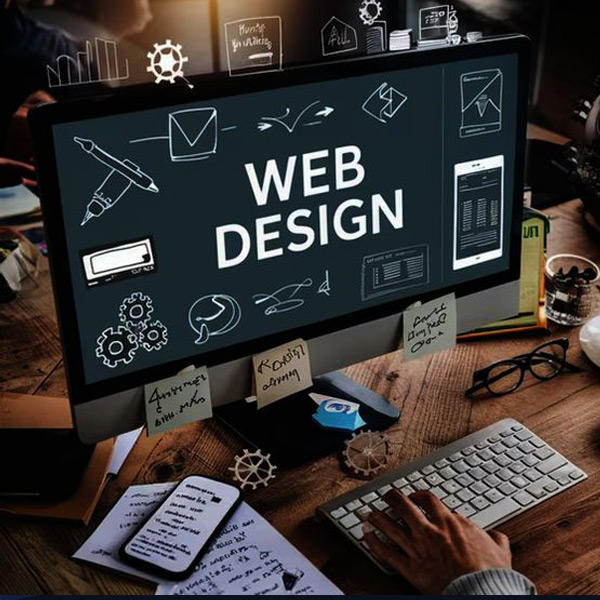
Web Design Expert Series
Limited Seats Available

Upgrade Your Skills
With Industry Ready Courses

Enroll Now

Fast onboarding • Secure • AI-powered experience
Enrollment submitted successfully.

Enrollment Successful 🎉


Course Overview

The Web Design Mastery Program is designed to help you create visually appealing, user-friendly, and responsive websites that work seamlessly across all devices. In today’s digital world, great design is not just about looks—it’s about user experience, performance, and engagement. This course covers everything from design fundamentals to advanced frontend development, including HTML, CSS, JavaScript, UI/UX principles, and modern frameworks like Bootstrap. You will learn how to design layouts, create interactive elements, and build responsive websites that adapt perfectly to mobile, tablet, and desktop screens. With hands-on projects and real-world design challenges, you will develop the skills needed to create professional websites and build a strong portfolio for high-demand frontend and web design roles.

Course with Live Project

No Refund Available

Beginner-friendly program with no prior experience required

Hands-on training in html, css, javascript & ui/ux

Focus on responsive and mobile-first design

Real-world design projects and portfolio building

Modern design tools and industry practices

Resume building, interview preparation & career support

Course Content

  • Evolution of web technologies
  • Understanding digital products
  • Role of ui/ux in business growth
  • Website lifecycle overview
  • Industry demand analysis
  • Key job roles in it sector
  • Basics of product-based thinking
  • Understanding user expectations
  • Digital transformation concepts
  • Career pathways in mohali & chandigarh

  • Advanced vs code usage
  • Workspace customization
  • Productivity extensions
  • Terminal basics
  • Project structuring strategies
  • Git initialization process
  • Repository management
  • Code organization standards
  • Developer productivity hacks

  • Structuring scalable web pages
  • Semantic html for accessibility
  • Content hierarchy planning
  • Seo-focused markup
  • Structuring landing pages
  • Embedding rich media
  • Navigation structuring
  • Clean code formatting
  • Html validation techniques
  • Real-world page structuring

  • Designing user-friendly forms
  • Input optimization techniques
  • Form validation strategies
  • Ux-focused form design
  • Data collection best practices
  • Accessibility in forms
  • Integration basics
  • Security considerations
  • Practical form development

  • Building scalable design systems
  • Css variables usage
  • Theme management
  • Advanced selectors
  • Typography systems
  • Color palette structuring
  • Ui consistency principles
  • Modular css approach
  • Code reusability techniques
  • Maintainable styling workflow

  • Creating engaging ui visuals
  • Advanced gradients and layers
  • Motion design basics
  • Micro-interactions
  • Visual hierarchy creation
  • Ui depth and elevation
  • Interactive transitions
  • Aesthetic design patterns
  • Performance-friendly animations
  • Ui enhancement practices

  • Designing flexible layouts
  • Layout composition strategy
  • Grid-based structuring
  • Sectional ui architecture
  • Alignment frameworks
  • Spacing systems
  • Layout debugging methods
  • Page flow optimization
  • Scalable layout building
  • Industry layout practices

  • Building adaptive ui components
  • Layout alignment techniques
  • Responsive navigation systems
  • Dynamic card layouts
  • Flexible content sections
  • Multi-device layout handling
  • Layout troubleshooting
  • Ui component structuring
  • Optimization strategies
  • Real ui implementation

  • Multi-column design systems
  • Complex ui structuring
  • Grid-based dashboards
  • Layout scalability
  • Grid responsiveness
  • Combining layout techniques
  • Ui consistency using grids
  • Advanced spacing control
  • Grid optimization methods
  • Real-world grid design

  • Designing for all screen sizes
  • Adaptive layout strategies
  • Fluid design systems
  • Responsive media handling
  • Breakpoint engineering
  • Cross-device testing
  • Debugging responsive issues
  • Performance improvements
  • Accessibility in responsive design
  • Industry responsive standards

  • Writing interactive scripts
  • Dom manipulation strategies
  • Event-based programming
  • Dynamic ui behaviors
  • Conditional logic building
  • Data handling techniques
  • Debugging js efficiently
  • Performance-aware coding
  • Structuring js code
  • Real-time ui interactions

  • Building dynamic components
  • Data-driven ui updates
  • Handling asynchronous tasks
  • Api integration concepts
  • Form logic implementation
  • Error handling patterns
  • Optimizing javascript code
  • Modular programming
  • Code reusability
  • Mini application development

  • Writing cleaner modern js
  • Arrow functions usage
  • Destructuring techniques
  • Modular code systems
  • Async programming patterns
  • Code readability improvements
  • Performance tuning
  • Best practices adoption
  • Real-world coding patterns
  • Practical exercises

  • Professional wireframing workflow
  • High-fidelity ui creation
  • Component-based design
  • Auto-layout systems
  • Interactive prototyping
  • Ux-driven layouts
  • Collaboration tools
  • Developer handoff process
  • Design optimization
  • Full app ui creation

  • Designing brand identities
  • Marketing creatives
  • Social media campaigns
  • Visual storytelling
  • Typography combinations
  • Color psychology application
  • Creative asset generation
  • Ad design strategies
  • Image editing techniques
  • Export-ready designs

  • Understanding user psychology
  • Conducting ux research
  • Persona creation
  • User journey mapping
  • Structuring user flows
  • Wireframing strategies
  • Testing user experience
  • Feedback implementation
  • Ux improvement cycles
  • Case study building

  • Component-based ui building
  • Managing ui states
  • Handling user interactions
  • Structuring react apps
  • Reusable components
  • Props and data flow
  • Event handling
  • Ui rendering logic
  • Basic hooks usage
  • Building small react apps

  • Lifecycle management
  • Routing systems
  • Api integration
  • Performance optimization
  • State management basics
  • Form handling
  • Debugging techniques
  • Code splitting basics
  • Scalable app structuring
  • Real-world react project

  • Seo strategy for designers
  • Structuring seo-friendly pages
  • Performance optimization techniques
  • Image compression strategies
  • Speed testing tools
  • Mobile seo practices
  • Core web vitals optimization
  • Technical seo basics
  • Website audit process
  • Practical seo setup

  • Git advanced workflows
  • Branch management
  • Collaboration techniques
  • Code merging strategies
  • Conflict resolution
  • Github project workflows
  • Code review practices
  • Documentation basics
  • Team project handling
  • Industry collaboration methods

  • Project ideation
  • Requirement gathering
  • Ui/ux planning
  • Wireframe to ui flow
  • Development setup
  • Core implementation
  • Responsive structuring
  • Debugging processes
  • Performance optimization
  • Mid-project evaluation

  • Feature enhancement
  • Api integrations
  • Ui refinement
  • Cross-browser testing
  • Optimization techniques
  • Error fixing
  • Final testing
  • Documentation
  • Deployment preparation
  • Final product delivery

  • Building professional portfolio
  • Personal branding strategy
  • Case study presentation
  • Github portfolio setup
  • Live hosting setup
  • Domain integration
  • Project showcasing
  • Portfolio optimization
  • Client-ready presentation
  • Industry portfolio standards

  • Business website system
  • Create professional business websites easily
  • Includes homepage, services, about, and contact pages
  • Admin panel to update content without coding
  • Seo-friendly structure for better ranking
  • E-commerce frontend website
  • Product listing pages with images and details
  • Cart ui design and checkout page interface
  • Category-wise product filtering system
  • Fully responsive and modern ui design
  • Blog website system
  • Create and publish blog posts easily
  • Category and tag-based article filtering
  • Comment section for user interaction
  • Responsive and seo-optimized design

Skills Developed in This Course

Website structure creation learn how to build the foundation of a website using html.
Styling & layout design use css to design layouts, colors, fonts, and overall appearance.
Responsive design skills make websites mobile-friendly and adaptable to different screen sizes.
Basic interactivity with javascript add simple dynamic features to websites.
Ui design fundamentals understand spacing, alignment, color theory, and visual hierarchy.
Modern framework usage work with bootstrap or similar frameworks for faster development.
Design tools usage learn tools like figma for planning and designing interfaces.
Website optimization improve the performance and loading speed of websites.
Real project building create complete websites to strengthen your portfolio.
Professional skills improve creativity, communication, and problem-solving abilities.

Career Opportunities After the Web Designing Course

This course opens doors to multiple high-demand career paths across industries.

Web Designer Design Modern And User-friendly Websites For Businesses.

Ui Designer Focus On Creating Attractive And Effective User Interfaces.

Frontend Developer (beginner Level) Convert Designs Into Working Websites Using Coding.

Freelance Designer Work Independently With Clients On Web Design Projects.

Creative Designer Combine Web And Graphic Design For Digital Platforms.

Why Choose Solitaire Learning for Web Designing

Step-by-step Learning Perfect For Beginners With No Prior Experience.
Practical Focus More Hands-on Work And Less Theory For Better Understanding.
Portfolio Development Create Projects That Help You Get Hired Or Start Freelancing.
Updated Industry Content Learn Current Design Trends And Tools Used In The Market.
Support & Guidance Get Help From Mentors And Structured Learning Resources.
Frequently Asked Questions

Have Questions About This Course?

Find answers to the most common questions learners ask before enrolling.

Web design is the process of creating the visual layout and structure of a website. It focuses on how a website looks and feels to users. It includes design, colors, layout, and user experience.

Web designing requires skills in HTML, CSS, and basic JavaScript. Knowledge of UI/UX design and responsive design is also important. Creativity and attention to detail help in making attractive websites.

Web designing focuses on the visual appearance and user interface of a website. Web development focuses on functionality and backend systems. Designing is about look, development is about working features.

Common tools include Figma, Adobe XD, Photoshop, and VS Code. These tools help in creating layouts and designing user interfaces. Browser tools are also used for testing designs.

Basic coding knowledge of HTML and CSS is required for web designing. Advanced designs may use JavaScript for interactivity. However, many design tools also help create layouts without heavy coding.

Responsive web design means a website adjusts automatically to different screen sizes. It works properly on mobile, tablet, and desktop devices. It improves user experience and accessibility.

Career options include Web Designer, UI Designer, UX Designer, and Frontend Developer. Web designing is in high demand in IT companies and digital agencies. It offers good growth opportunities.

UI (User Interface) focuses on visual design like buttons and layouts. UX (User Experience) focuses on how users interact with the website. Both work together to improve usability.

Yes, web designing can be learned from scratch. Beginners can start with HTML and CSS basics. Practice and projects help in building strong designing skills.

Yes, web designing is a good career in the digital industry. Every business needs websites, increasing the demand for designers. It offers freelance and full-time job opportunities.

Yes, HTML and CSS are the most important basics. They are used to create and style web pages. Without them, web designing cannot be properly learned.

No, JavaScript is not compulsory at the starting stage. It is useful for adding interactivity to websites later. Basic web designing can be learned without it.

Basic creativity and design sense are helpful. You should have an idea about colors, layouts, and visuals. Professional design skills are developed during training.

No, UI/UX knowledge is not required before starting. It is taught during advanced stages of training. It helps in improving user experience and interface design.

No prior software knowledge is required. Tools like Figma, Photoshop, and VS Code are taught during training. You will learn how to use them step by step.
Course FAQ

Ready to Take the Next Step in Your Career?

Join our expert-led training program, gain industry-recognized skills, and move closer to your professional goals. Seats are limited — enroll today!

Recommended Courses for You